1 min read
My First NPM Package: github-traffic-cli
Since I published my first projects on GitHub I've enjoyed viewing the traffic on my repositories. It is exciting to see how many people visit or clone my repositories.
Ask my AI assistant
Michael Hoffmann
@mokkapps
Since I published my first projects on GitHub I've enjoyed viewing the traffic on my repositories. It is exciting to see how many people visit or clone my repositories.
Unfortunately, it costs a lot of time to click through all available repositories, and I was looking for a more elegant way.
I stumbled upon the npm package github-traffic, which already provides an API to fetch the GitHub traffic. So I decided to write a command-line interface (CLI) npm package which uses this API.
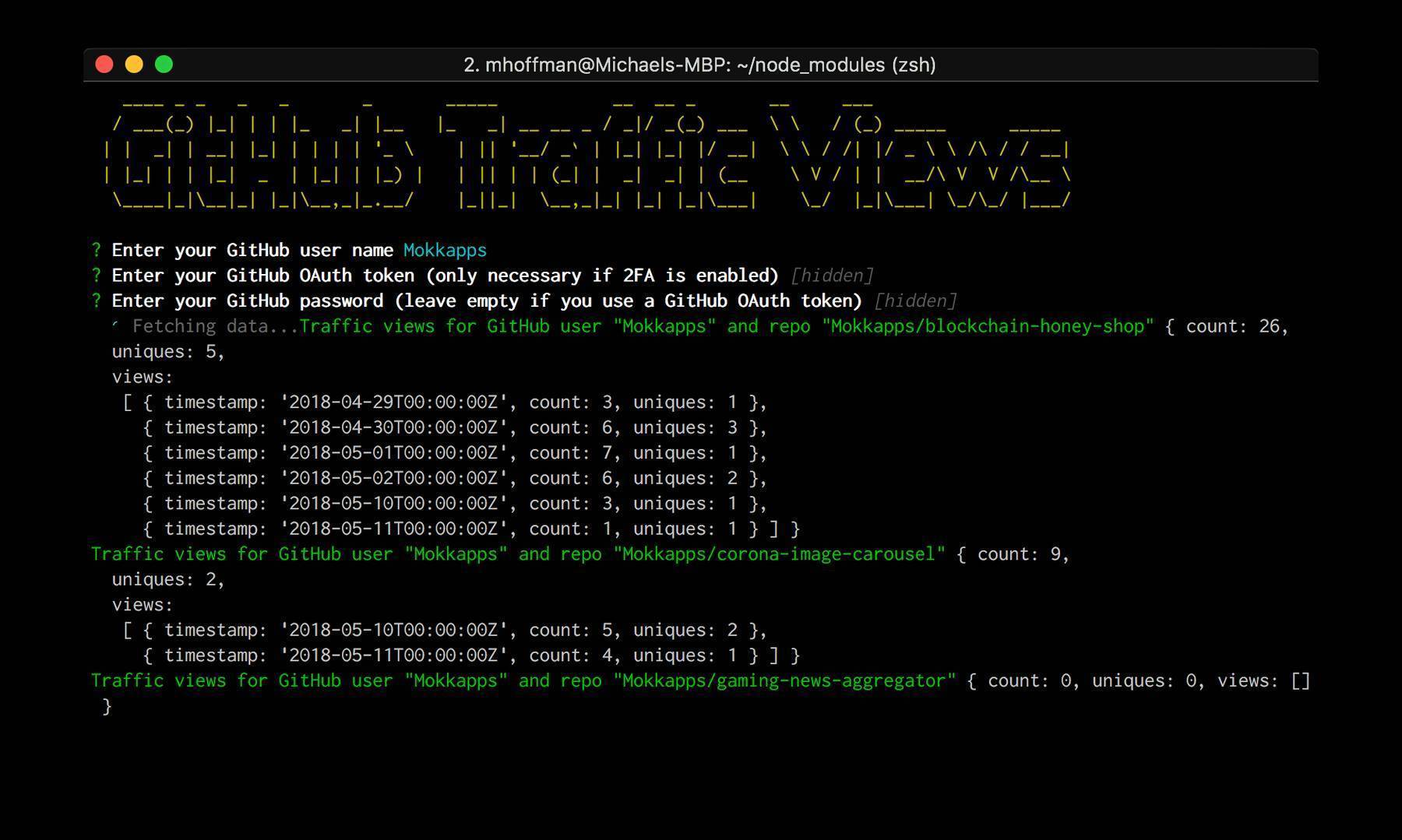
As a result, I can check the traffic on all of my repositories with one CLI command:

Develop & publish npm package
The process is straightforward and documented in the npm docs.
Used npm packages
- chalk: Terminal string styling done right
- clui: Node.js toolkit for quickly building nice looking command line interfaces
- commander: The complete solution for node.js command-line interfaces
- figlet: Terminal ASCII art from text
- inquirer: A collection of common interactive command line user interfaces.